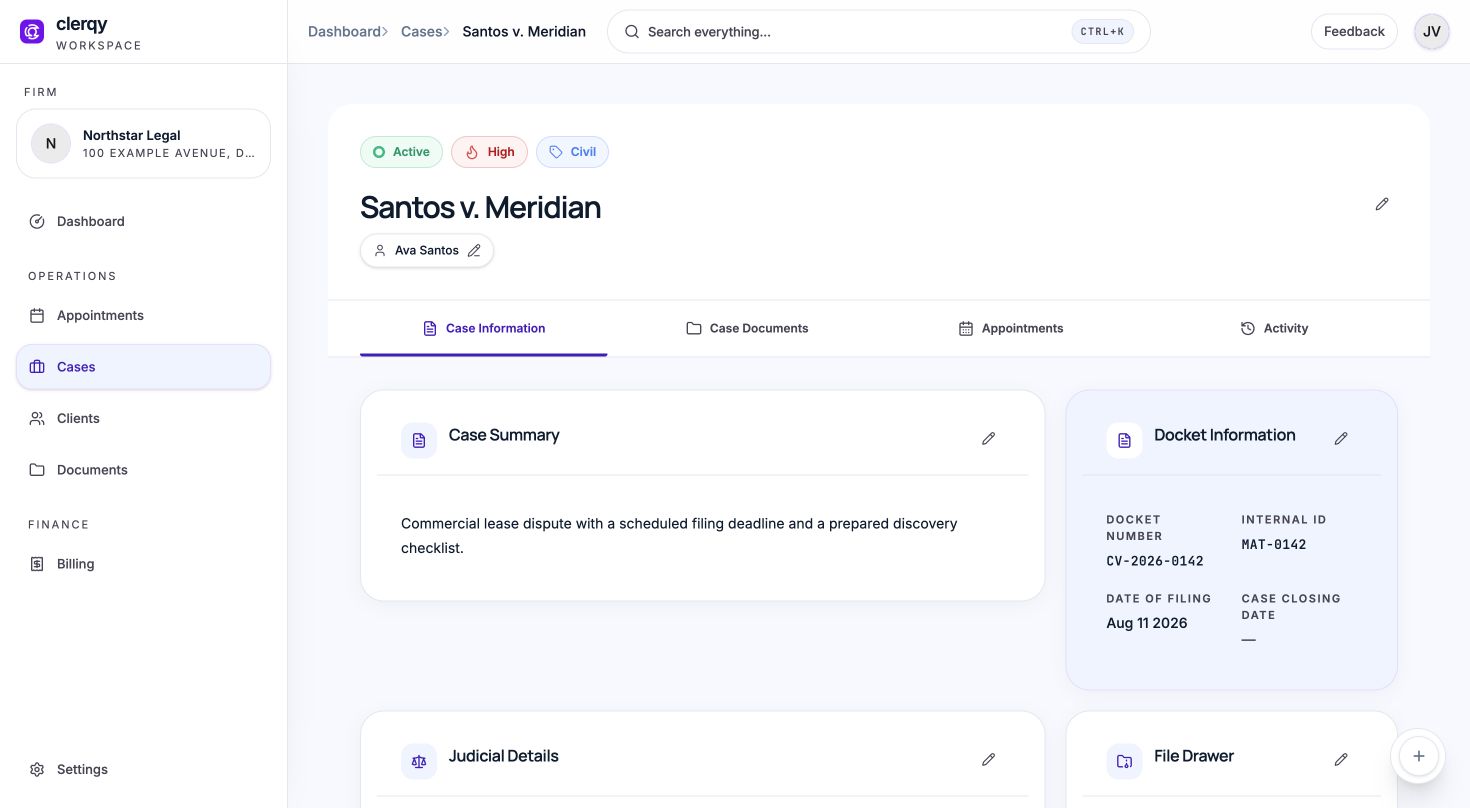
Case workspace
Open a case and see its working context.
Review the case status, client, docket details, and the tabs for case documents, appointments, and activity from one screen.
See how case details connectLegal practice management for Philippine law offices
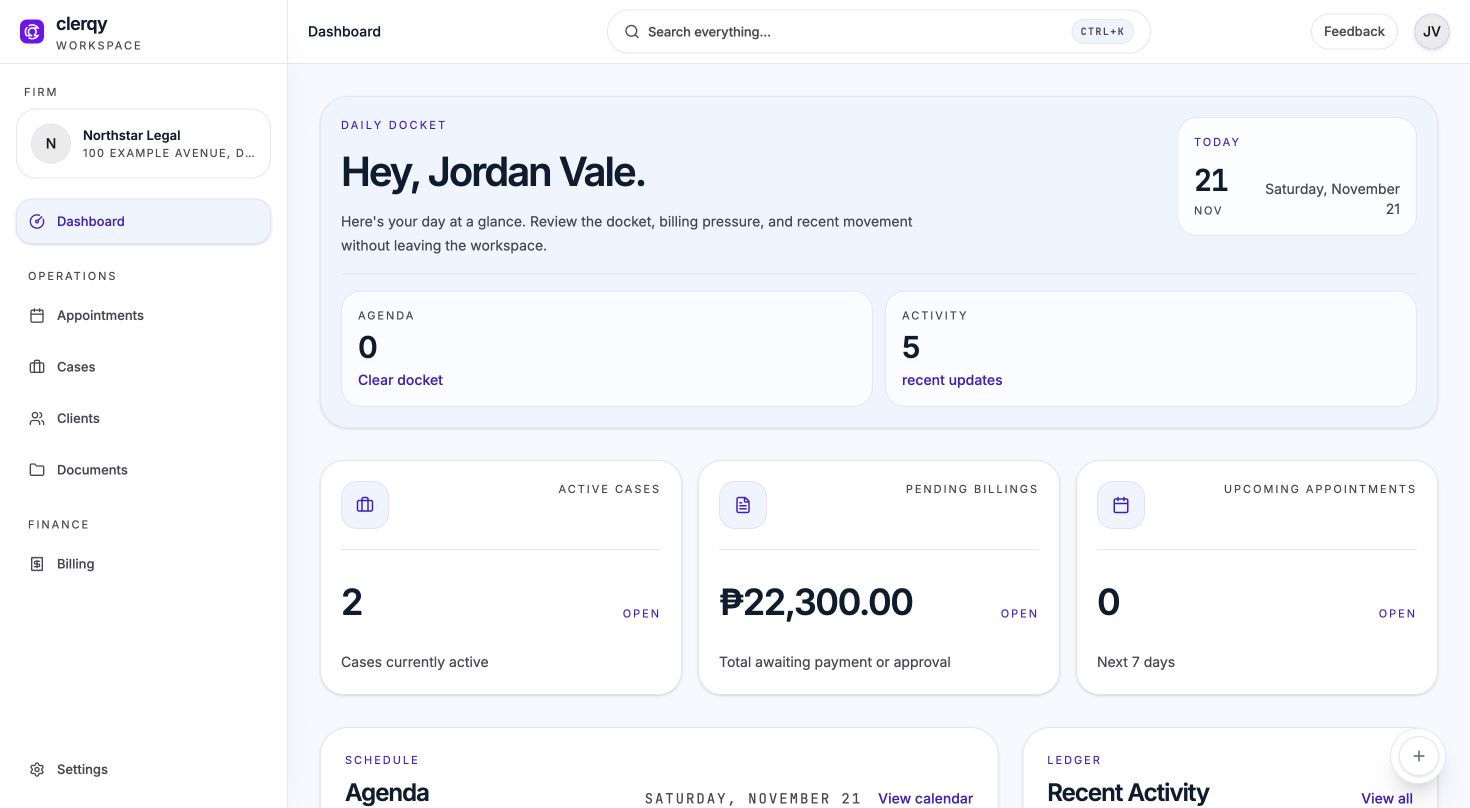
The dashboard brings a day’s case work into view.
Clerqy brings cases, clients, appointments, documents, and billing into one legal workspace. Start at the dashboard, then open a case to see its details and connected records.
Free includes cases, clients, appointments, and document records.
Inside the Clerqy workspace
Explore the real screens behind the day-to-day case workflow.
Case workspace
Review the case status, client, docket details, and the tabs for case documents, appointments, and activity from one screen.
See how case details connect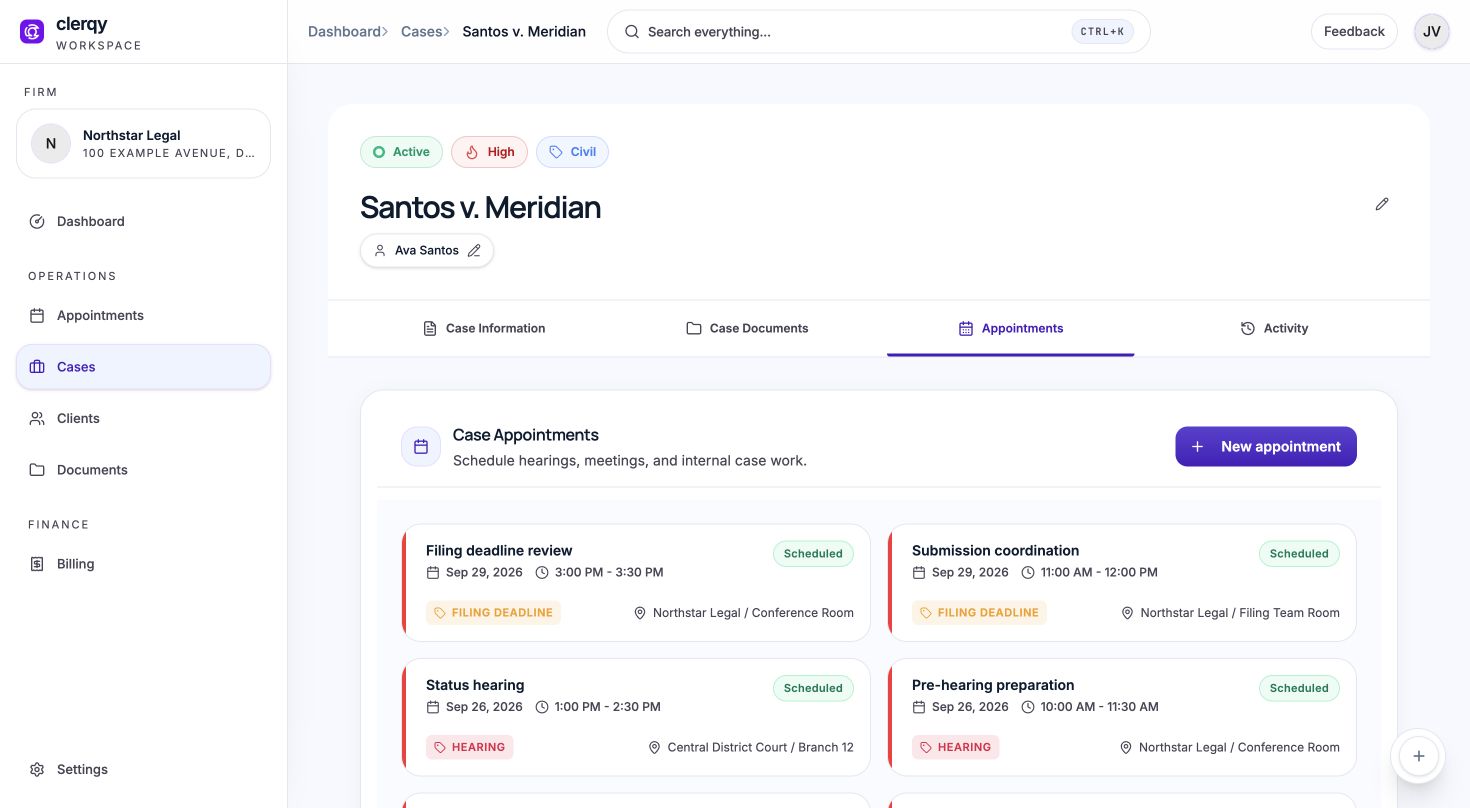
Appointments
See scheduled hearings, filing reviews, and coordination meetings with their dates, times, and status. Calendar sync runs one way from Clerqy to Google Calendar.
Explore appointment tracking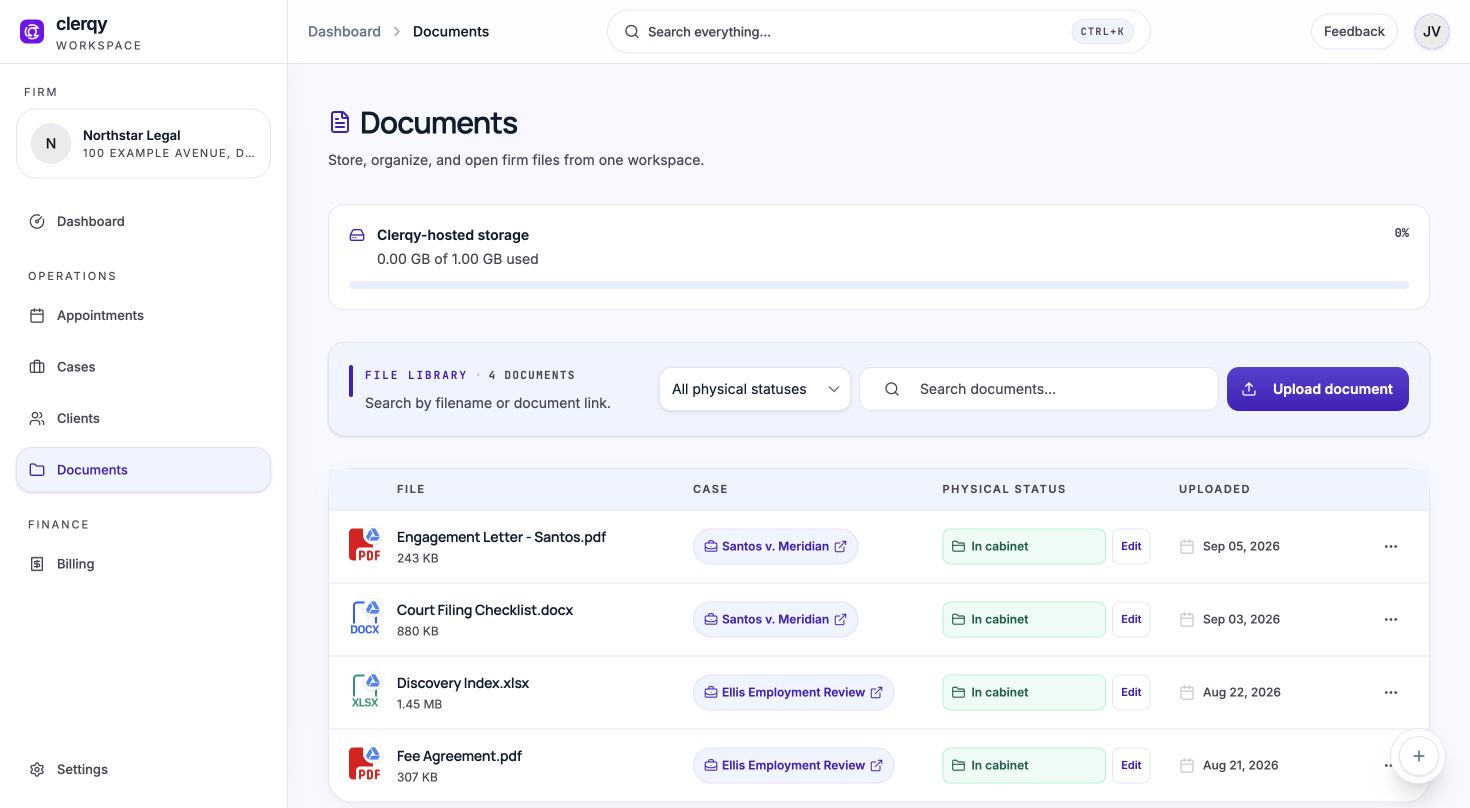
Documents
Browse document records with their related cases and physical status. Linked Google Drive file contents stay in Drive rather than becoming Clerqy-hosted files.
See how documents stay organized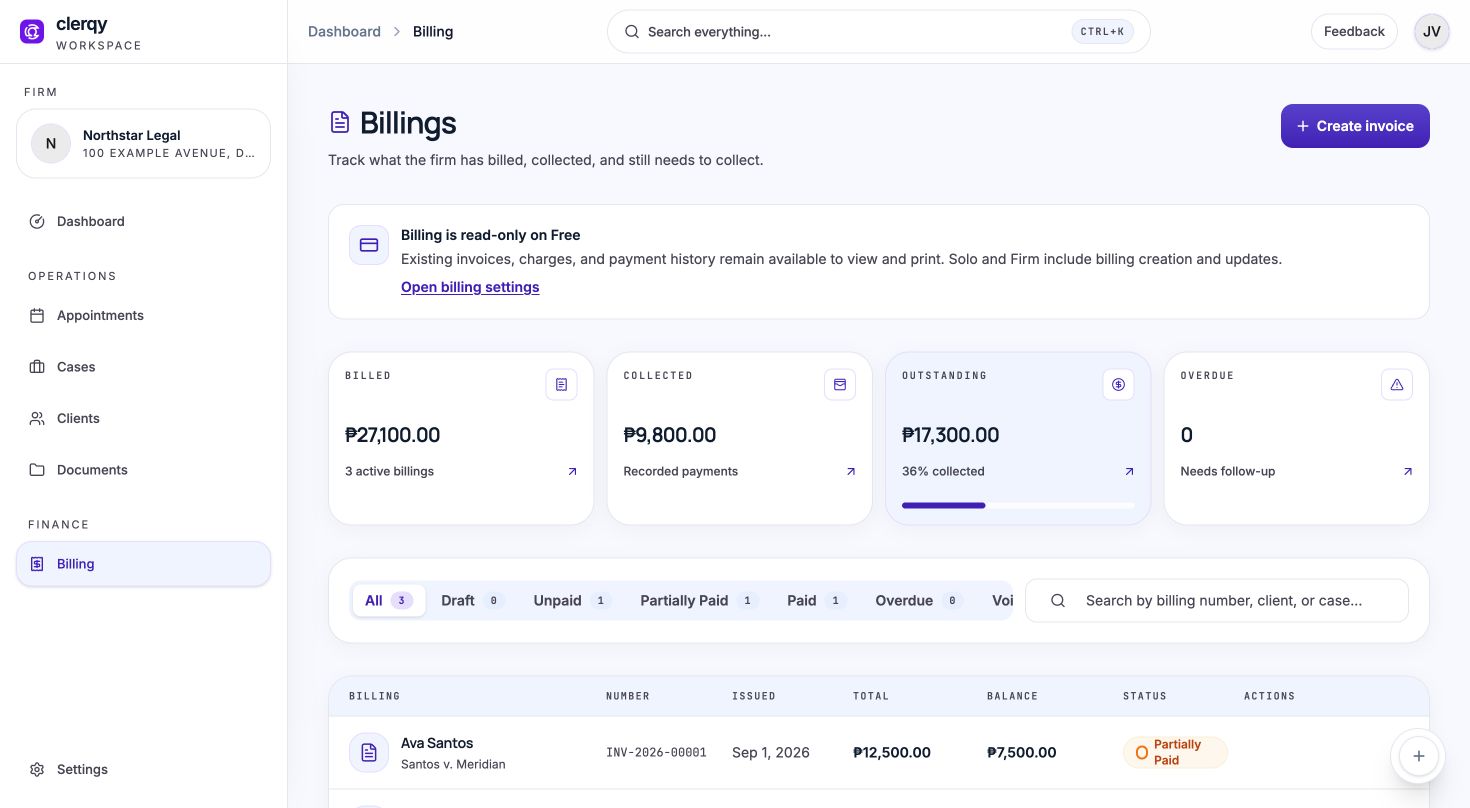
Billing
On Solo and Firm, create invoices, track charges, and record payments reported as received. Clerqy does not authorize or process client payments.
Explore billing workflowsChoose the workspace that fits
For one-person practices
Free includes case and client records, appointments, and document records. Solo adds invoice creation, charge tracking, recorded payments, and expanded hosted-file capacity.
For Solo PractitionersFor lean teams
Firm is designed for 2–5 people who need shared case workflows and billing visibility. Access to records depends on each member’s permissions.
For FirmsPlans
Monthly prices in Philippine pesos.
₱0/ month
A connected workspace for organizing everyday case work.
₱1,499/ month
A solo workspace with billing tools and more room for hosted files.
Built for small firms
₱3,499/ month
Shared case work and billing visibility for a small team.
Common questions
Quick answers about plans, files, integrations, and billing.
Free includes one user, five active cases, 1 GB of Clerqy-hosted storage, and the core case, client, appointment, and document workspace. Billing is view-only; Free cannot create new invoices, charges, or payment records.
No. For linked Google Drive references, file contents stay in Drive and are not duplicated as Clerqy-hosted files in that flow.
Yes. Google Calendar sync is included on every plan for upcoming scheduled and confirmed appointments. Sync runs one way from Clerqy to Google Calendar; edits in Google Calendar do not sync back into Clerqy.
No. Clerqy lets you create invoices, track charges, and record payments reported as received. It does not authorize or process a transaction.
Free and Solo are one-user workspaces. Firm supports 2–5 named users. If your team has six or more, contact Clerqy for a conversation.
Start with Free
Start with Free for cases, clients, appointments, and documents. Choose Solo or Firm when you need billing workflows.
Organize case work