For firms in the Philippines

Keep your team working from the same case context.

Clerqy gives small law firms a shared workspace for cases, clients, appointments, documents, and billing, so the next person can pick up the operational thread with more context.

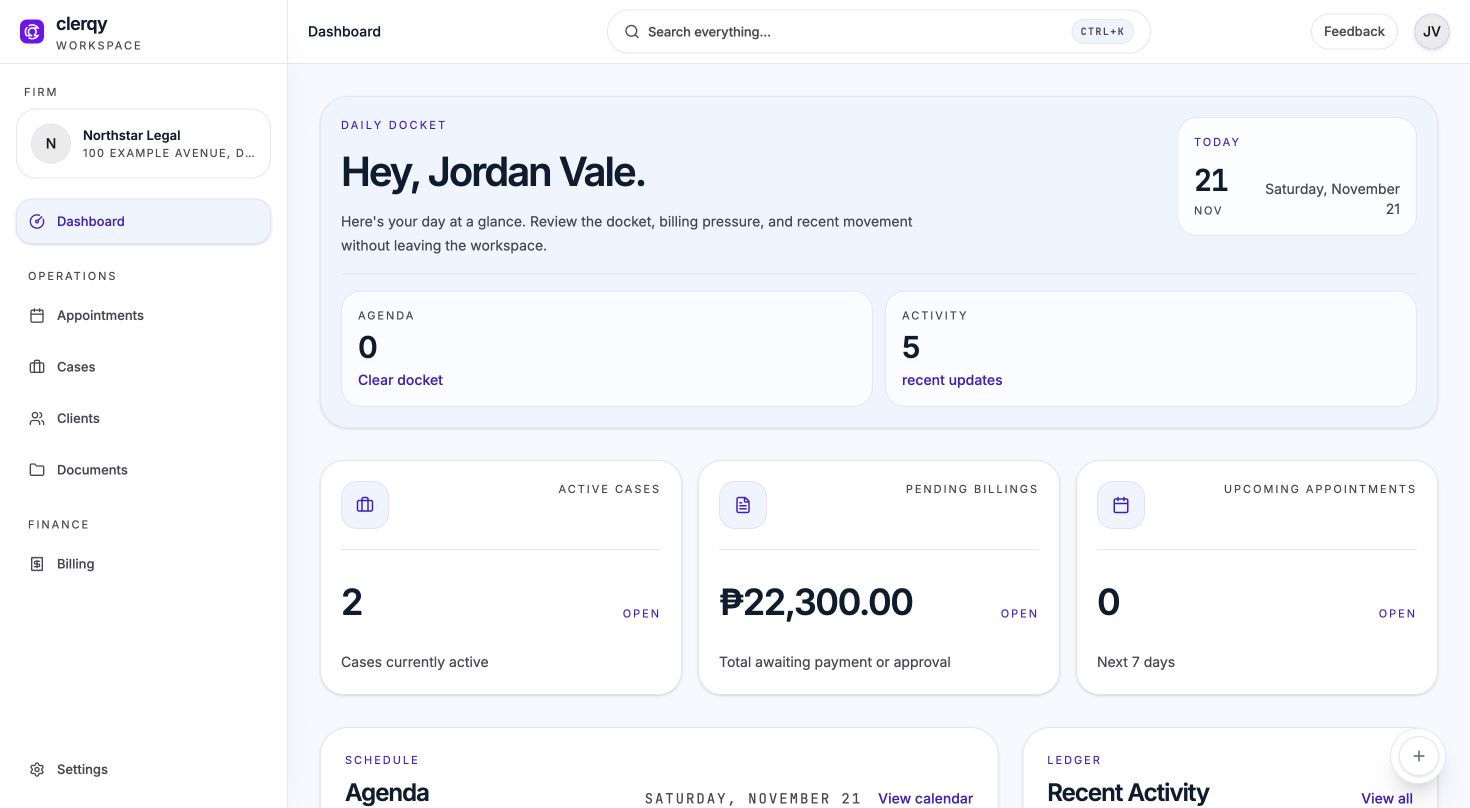
Firm dashboard

Firm dashboard showing active cases, pending billings, and upcoming appointments in a sample Clerqy workspace.
Sample workspace

Team coordination

Bring the working context back to each case.

When dates, files, and updates sit across separate calendars, folders, messages, and personal trackers, teammates have to piece together what has happened. Clerqy connects case and client records, appointments, documents, and billing in one workspace.

Team collaboration around a case

Follow one case through the team’s work.

See how case and client context, appointments, documents, and billing connect. Each member’s assigned permissions determine which records they can access.

Cases and clients

Start with shared case and client context.

Connect the case to its client record and review its status, docket details, appointments, documents, and activity from the case workspace. Members see records allowed by their assigned permissions.

See how case details connect
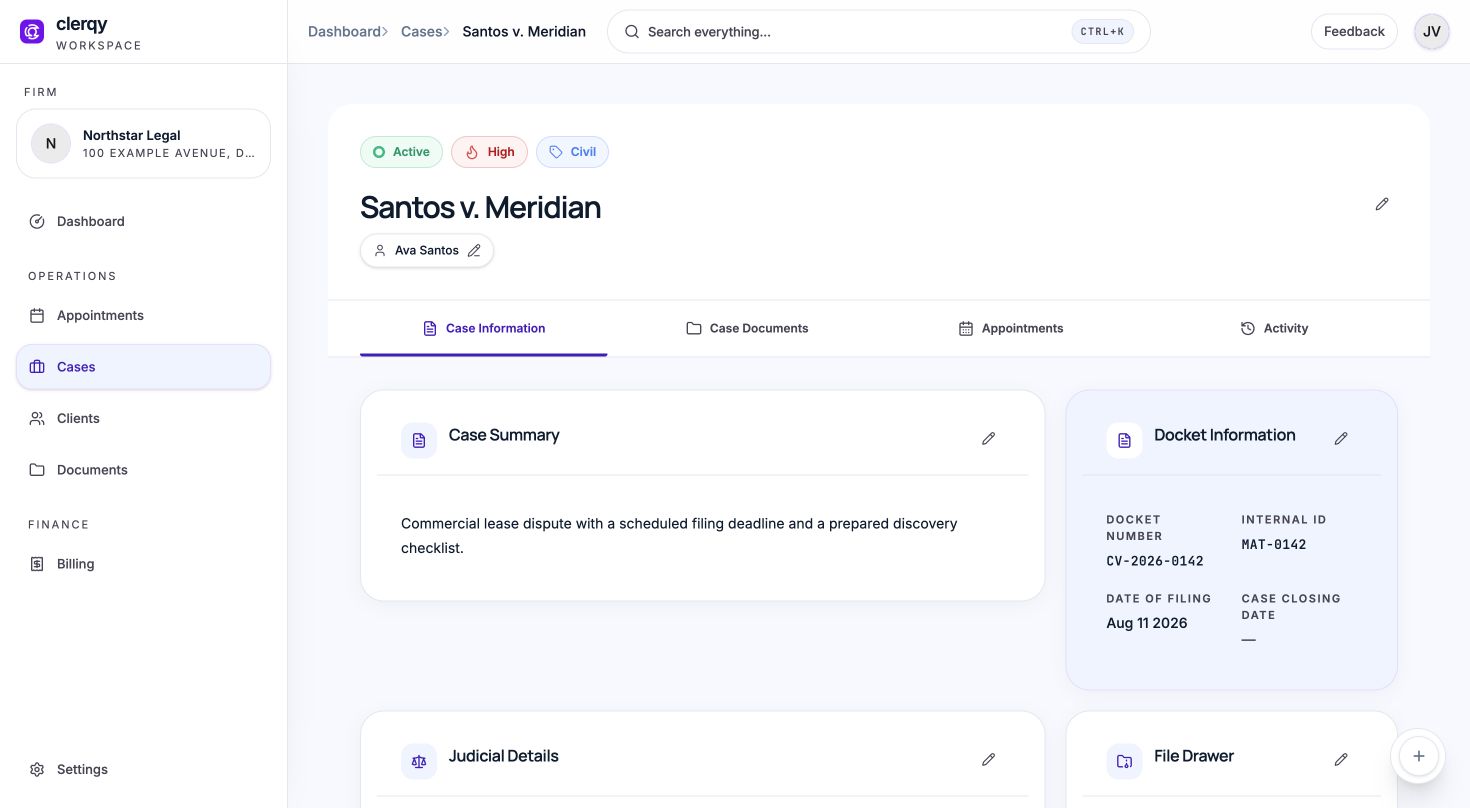
Case workspace showing client, active status, docket details, and related tabs in a sample Clerqy workspace.
Sample workspace

Appointments

Coordinate scheduled work around the case.

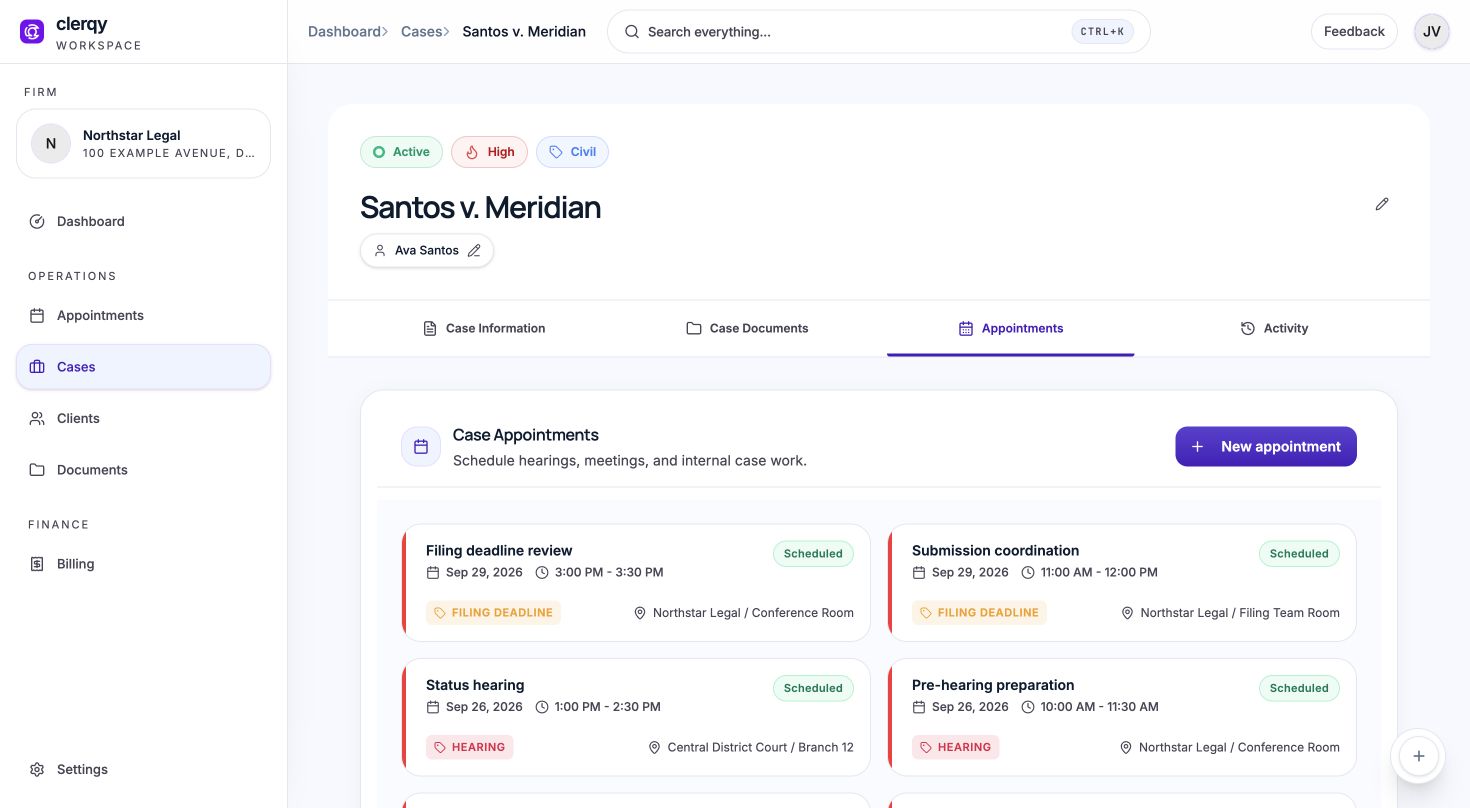
See hearings, filing reviews, coordination meetings, and other appointments from the case’s Appointments tab.

Explore appointment tracking
Case appointments screen listing hearings, filing reviews, and coordination meetings in a sample Clerqy workspace.
Sample workspace

Documents

Find the document records related to the case.

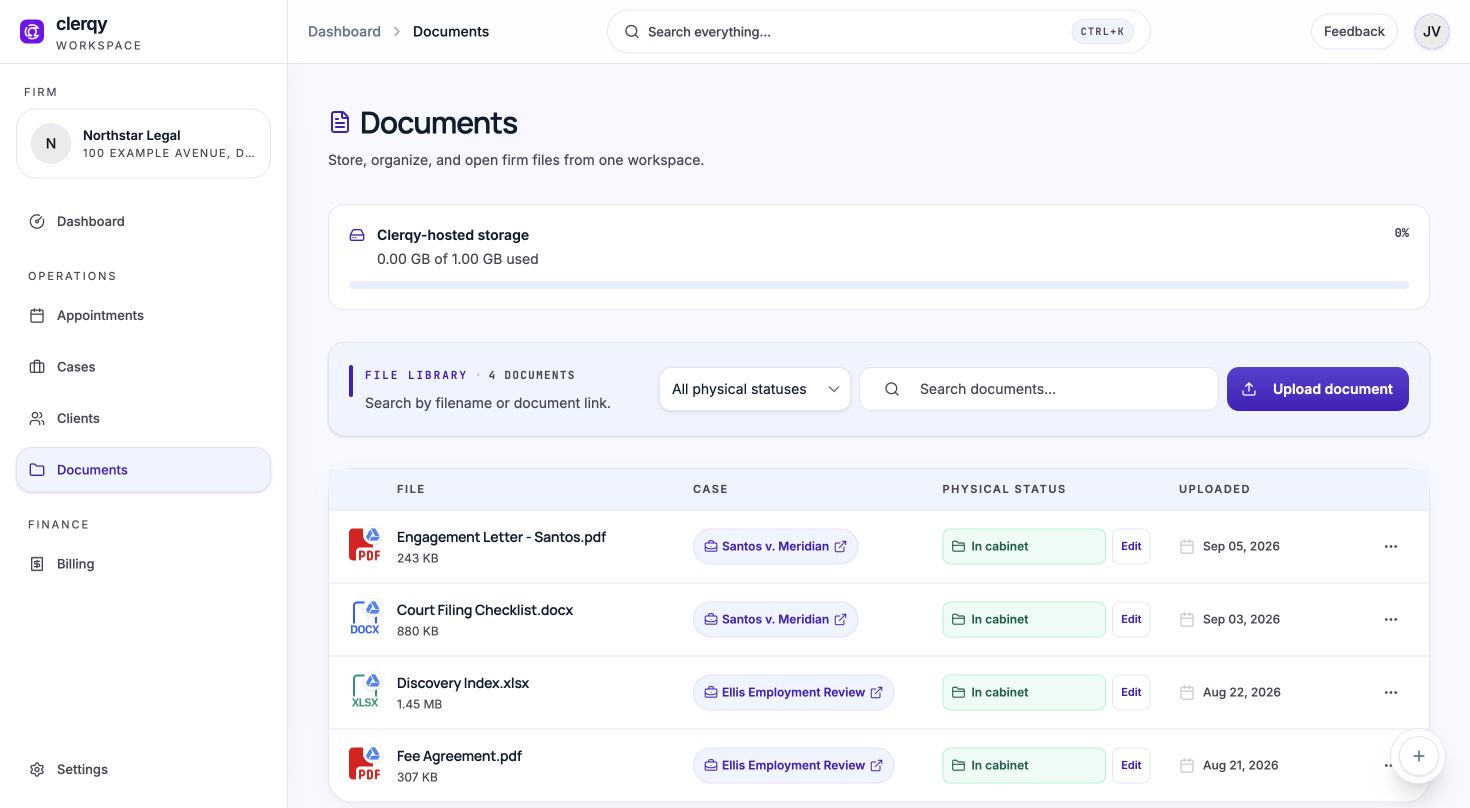
Browse document records with related cases and physical-file status, alongside uploaded files and selected Google Drive links.

See how documents stay organized
Document library showing case links, physical-file status, upload dates, and hosted storage in a sample Clerqy workspace.
Sample workspace

Billing

Review billing records together.

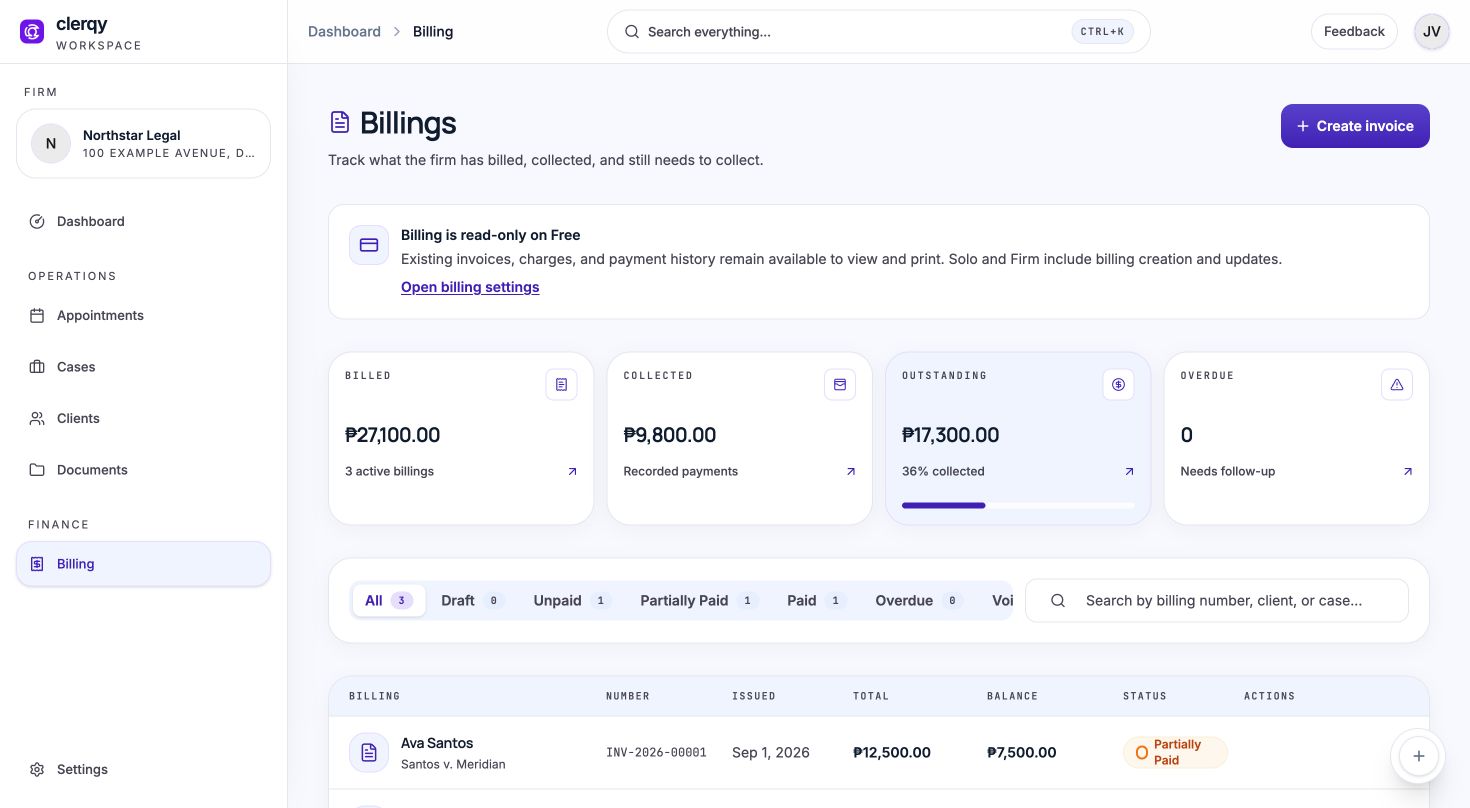
On Firm, create invoices, track charges, and record payments reported as received. Clerqy does not authorize or process client payments.

Explore billing workflows
Billing screen showing invoice and payment records in a sample Clerqy workspace.
Sample workspace

Access and connected tools

Know how the shared workspace works.

Firm brings team workflows together while keeping the product’s access and integration boundaries clear.

Member permissions

Each member’s assigned permissions determine which records they can access.

Google Calendar

Sync runs one way from Clerqy to Google Calendar for upcoming scheduled and confirmed appointments. Calendar edits do not sync back into Clerqy.

Google Drive

Link or import selected Drive files. Linked file contents stay in Drive and do not count toward Clerqy-hosted storage.

Firm plan fit

A shared workspace for two to five people.

Firm is designed for 2–5 named users who need shared case workflows and billing visibility. Each member’s assigned permissions determine which records they can access.

If your firm has six or more people, contact Clerqy to discuss fit.

Coordinate team case workCompare plans